Pet portrait reliefs and lithophanes from a photo
A pet's face makes one of the nicest reliefs and lithophanes: a gift for an owner, or a way to remember a pet that has died. This guide shows what we learned turning our own photos of two dogs into plaques, including one mistake that is easy to make.
Crop out whatever is in front
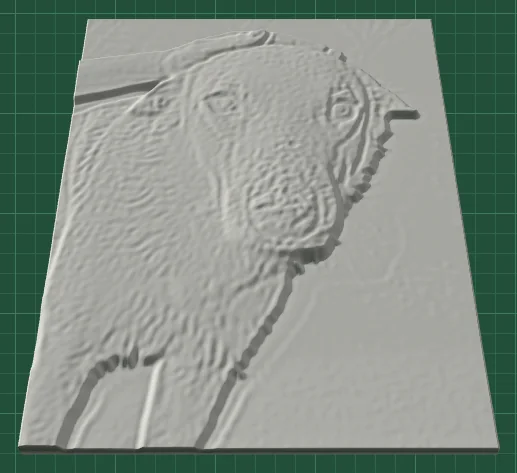
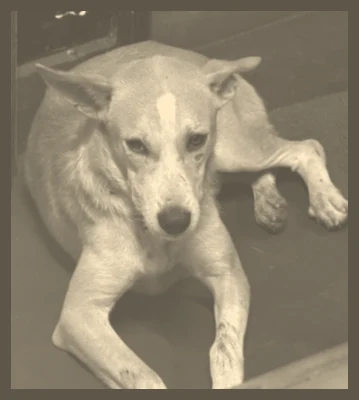
The relief takes its shape from distance, so whatever is closest to the camera ends up highest. In our first try the edge of a table was in the foreground: it became a big raised slab across a third of the plaque, and the dog behind it came out small and low. Cropped to the dog first, the same photo gives a plaque where the head, ears and paws stand out.
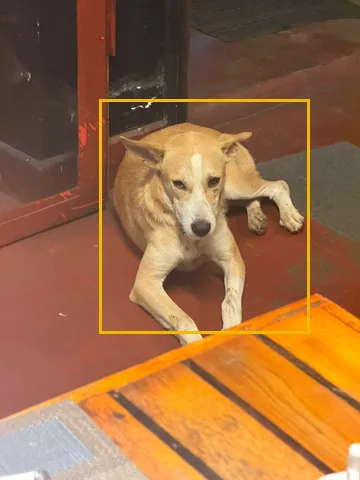
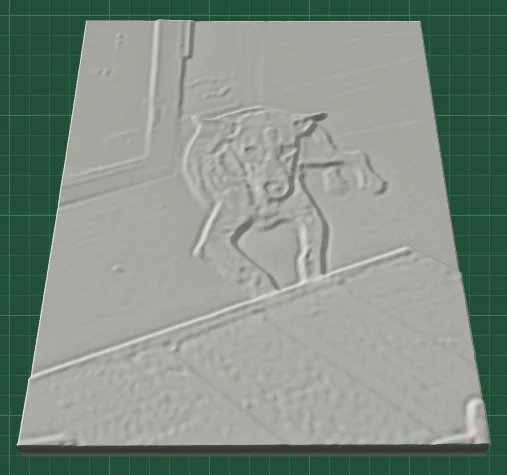
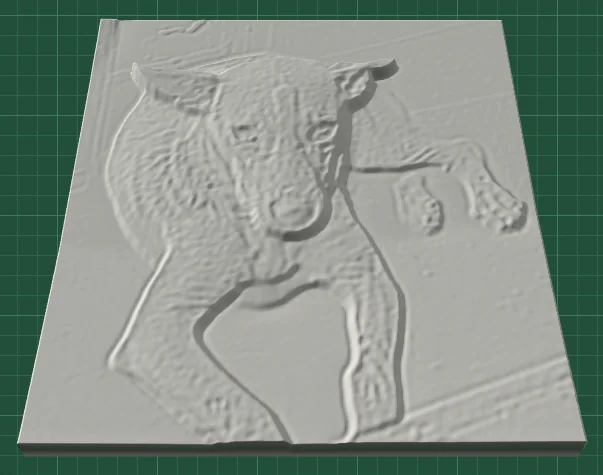
Hybrid view, default settings. The same applies to hands, knees or toys close to the lens. If you cannot crop it out, paint over it under More settings, Remove parts: painted parts are flattened and ignored when the height range is set.
Taking the photo
- Get down to the pet's eye level, so the face looks at you rather than up from below.
- Fill the frame with the head and shoulders. The tool has at most 600 points across, so a small pet in a big room gets few of them.
- Use daylight, not flash. Window light or open shade shapes the face; a flash flattens it and makes the eyes shine (see below).
- Keep the eyes sharp. Tap on them to focus. A sharp face matters more than a sharp background.
- Leave some distance behind. A pet against a wall a few metres away separates better than one pressed against a cushion.
A night photo with flash
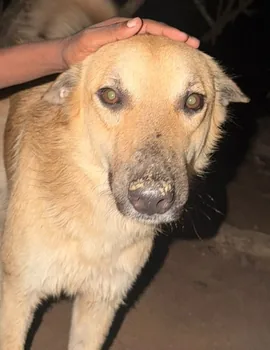
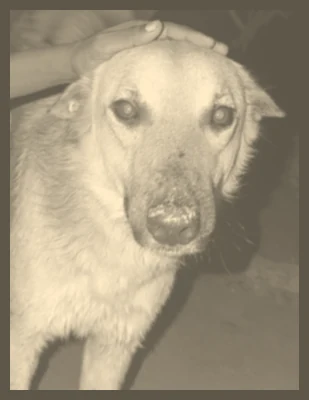
Our second dog was photographed at night with the phone's flash, with a friend's hand on its head. Cropped to the head and chest, the relief still came out well, because the dark background is far behind. Two things show the limits of the photo: the hand is still a raised ridge at the top, and in the lithophane the flash reflection makes the eyes look blank.
Relief or lithophane?
- Relief for a plaque to hang or stand in normal light. It shows the shape: head, ears, legs.
- Lithophane for a window, night light or lamp. It shows the tones: the light and dark of the fur and eyes.
More on each: relief, lithophane, logo plate or depth map, and how to make a lithophane from a photo.
Settings for a pet plaque
- View: Hybrid. It keeps the shape from the AI and the fur detail from the photo.
- Photo detail: the default suits most fur. Lower it if short fur looks gritty, raise it a little for long fur.
- Size: 100 to 150 mm wide is a good gift size. A rounded or oval plaque with a frame looks finished.
- Detail: raise it towards 600 for a large plaque so whiskers and fur keep their texture.
- Text: under More settings, add the pet's name or dates; they are raised on a band below the picture.
Other people's pets
If you photograph someone else's pet, or use a photo they sent you, ask before you print or share it, and crop out people who happen to be in the picture.
See also: which photos make the best 3D reliefs.