How to make a keychain from a logo or drawing
A logo, a name or a simple drawing makes a great keychain or small sign: a flat plate with the lines raised on top, and a hole for a key ring. This guide shows how to prepare the image, set the threshold, place the hole and print it, with examples we made with the tool.
Open the logo and line art tool
Step 1: Prepare the image
- High contrast. Dark lines on a plain light background, or the other way round. A PNG of the logo is ideal.
- A drawing on paper works too: use a black pen or marker rather than pencil, and photograph it straight from above in even light.
- Leave space at the top if you want a keychain hole. The hole goes in the middle near the top edge and cuts through whatever is there (see step 4).
- Transparent backgrounds count as white, so a dark logo on a transparent PNG works as it is.

Step 2: Set the threshold
The tool turns the image into two levels: raised and flat. The threshold decides where the line between them falls, and the small picture under the 3D view shows the result (light = raised).
- Lower the threshold to raise more: fainter lines join in.
- Raise the threshold to raise less: only the darkest parts stay, and smudges or shadows on the paper stay flat.
Here is a pencil-style leaf drawing on unevenly lit paper at three thresholds:
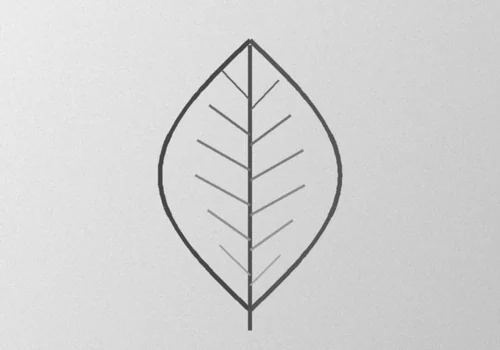
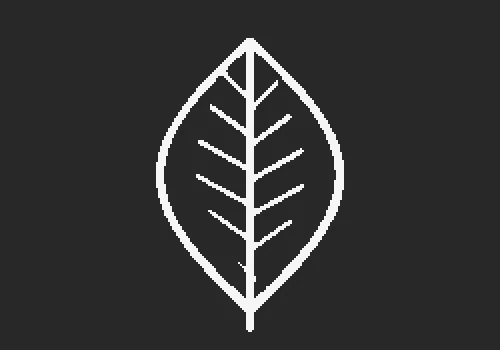
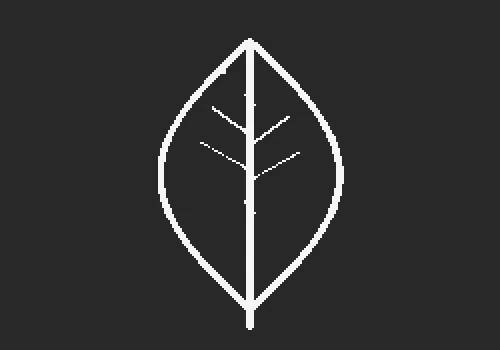
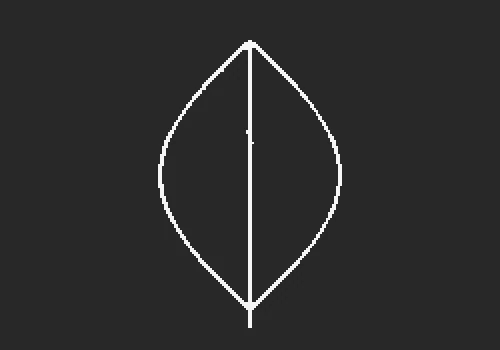
In all three, the uneven paper stays flat, which is what you want.
Step 3: Check the line width
A standard 0.4 mm nozzle cannot print lines much thinner than its own width. As a rule of thumb, keep lines and gaps at least about 0.8 mm wide at the final size. Lines get wider when you make the model wider: at 50 mm, the veins of our leaf are only about 0.3 mm wide, too thin to print well; they would reach 0.8 mm only on a plate around 150 mm wide. For a small keychain, choose a logo with bold shapes, like the badge above, or draw with a thicker pen.
Step 4: Size, plate, rim and hole
- Width. 40 to 60 mm suits a keychain; signs can go up to 200 mm. The height follows the image.
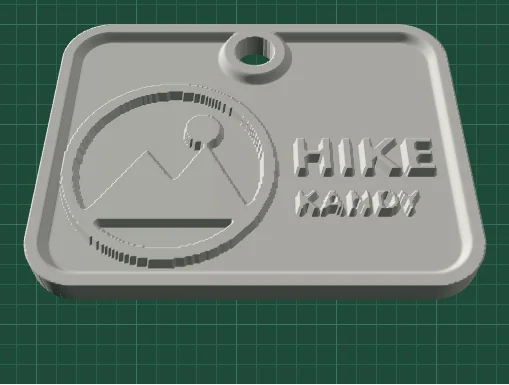
- Plate thickness and raised height. The defaults, a 2 mm plate with lines raised 1.2 mm, make a sturdy keychain.
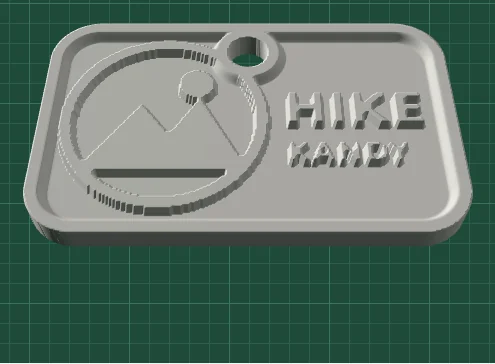
- Rim. A raised border frames the design and also rings the hole, adding material where the key ring pulls.
- Keychain hole. 5 mm fits a split ring or a cord. If it is too big for the plate, the tool says so.
Step 5: Raised or engraved
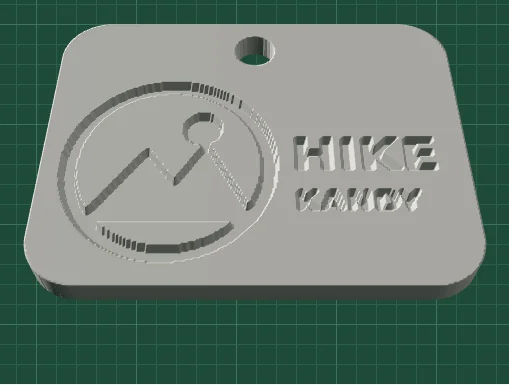
By default the dark parts are raised. Choose Raise: Light parts and it flips: the background is raised and the logo is sunk into it, like an engraving.
Step 6: Print it
- Flat, plate down. It needs no supports.
- PLA works well; many people use PETG for keychains that live in a pocket, because it is tougher.
- Two colours without a multi-colour printer: in your slicer, add a filament change at the top of the plate (2 mm with the defaults). Everything above it, the raised lines and the rim, prints in the second colour.
- Fine detail prints best with a 0.12 to 0.16 mm layer height, but 0.2 mm is fine for bold logos.
If it does not look right
Lines are broken or missing
Lower the threshold, make the model wider, or redraw the lines thicker.
Smudges, shadows or paper texture are raised
Raise the threshold, or photograph the drawing again in more even light.
Edges look jagged
Raise Detail, or set Smooth edges to 1 or 2.
Working from a photo instead? See how to turn a photo into a 3D printable STL relief.